Submitting claims for creditors
Some creditors won't be able — or willing — to log into the creditor portal to submit their own debt claim. This page explains how to record their claim in Keelo on their behalf.
A dedicated admin-side UI for submitting claims on behalf of creditors is coming soon. In the meantime, follow the workaround steps below
Before you begin
- The creditor must already exist on the appointment (see Add Creditor Manually or Import Creditors).
- You'll need the creditor's access code. See Send Access Codes
- You'll need any supporting documents the creditor has provided (invoices, contracts, etc.) saved to your machine so you can upload them through the portal.
Steps
-
Open an incognito / private browser window so you don't sign out of your admin session.
-
Go to the creditor's portal from the Portal Setup page and log in using the creditor's access code. See View Portal and Send Access Codes.
-
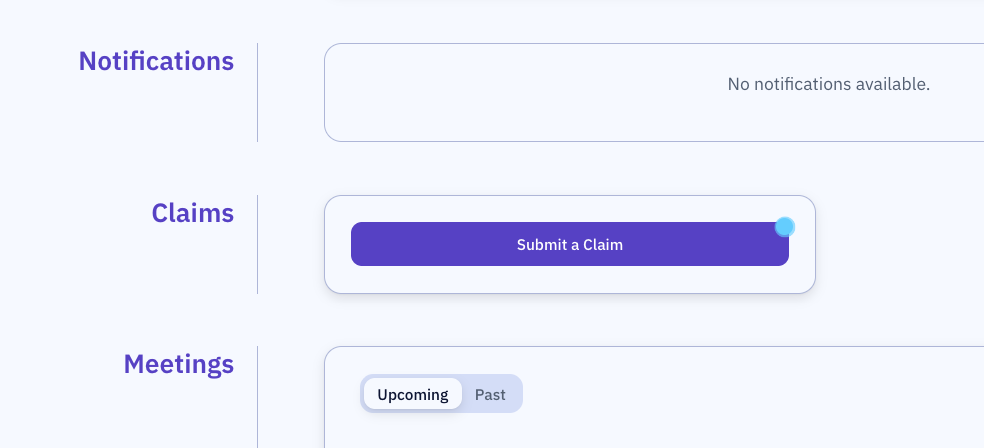
From the portal homepage, click Submit a Claim.
-
Complete the claim submission flow as the creditor would, entering the debt amount, GST component, and uploading any supporting documents you have.
-
Submit the claim. The creditor portal shows the claim as Pending Review.
-
Close the incognito window and return to your admin session. The claim is now visible in the Claims dashboard for assessment. See review claims
The audit log will record this submission as coming from the creditor's account, not your practitioner account.