Generating a new access code
info
Use this when a creditor has lost their code, or when you want to invalidate an old one. The new code replaces the old one immediately — the old code stops working as soon as you reset.
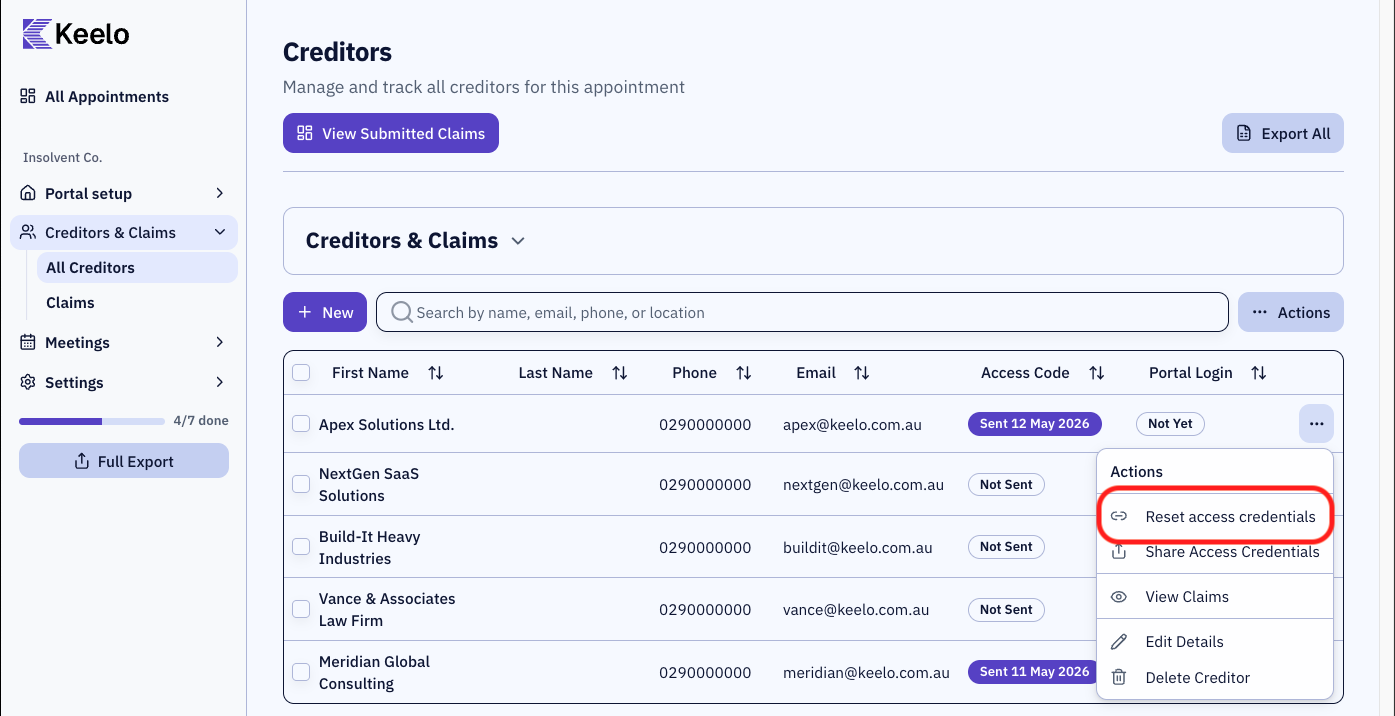
- Click the actions menu (three dots) on the row.
- Click Reset access credentials.
- The creditor's access code is now regenerated and can be sent. Follow the steps in Share access codes to send the new code.
info
For refreshing proxy access codes, see View Proxies.