View and manage attendees
Before you begin
- You need Editor access.
- The meeting must already be created. See Create a Meeting.
- For voting attendees, the creditor must already exist on the appointment. See Import Creditors or Add Creditor Manually.
Adding creditors to attendance register
Creditors who registered through the portal are automatically added as attendees — you only need to use Add Attendee for creditors who couldn't or didn't register themselves.
This should only be done sparingly and with caution. It is recommended to use the portal for creditors to register themselves. Adding attendees manually means a meeting attendance form will be created without the creditor's signature - requiring a manual follow-up by an accountant.
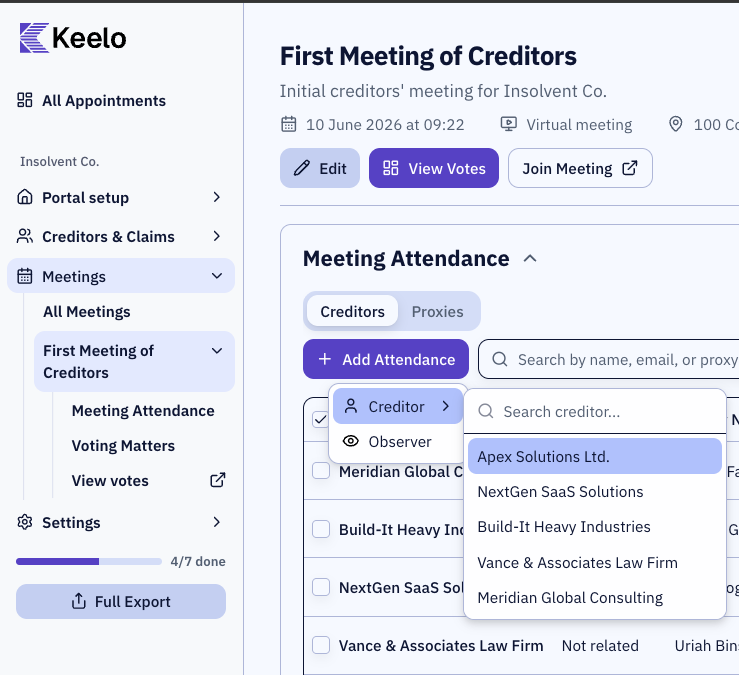
-
Navigate to the meetings page.
-
Expand the Meeting Attendance section.
-
Click Add Attendance.
-
Select a creditor from the dropdown.
View attendance forms
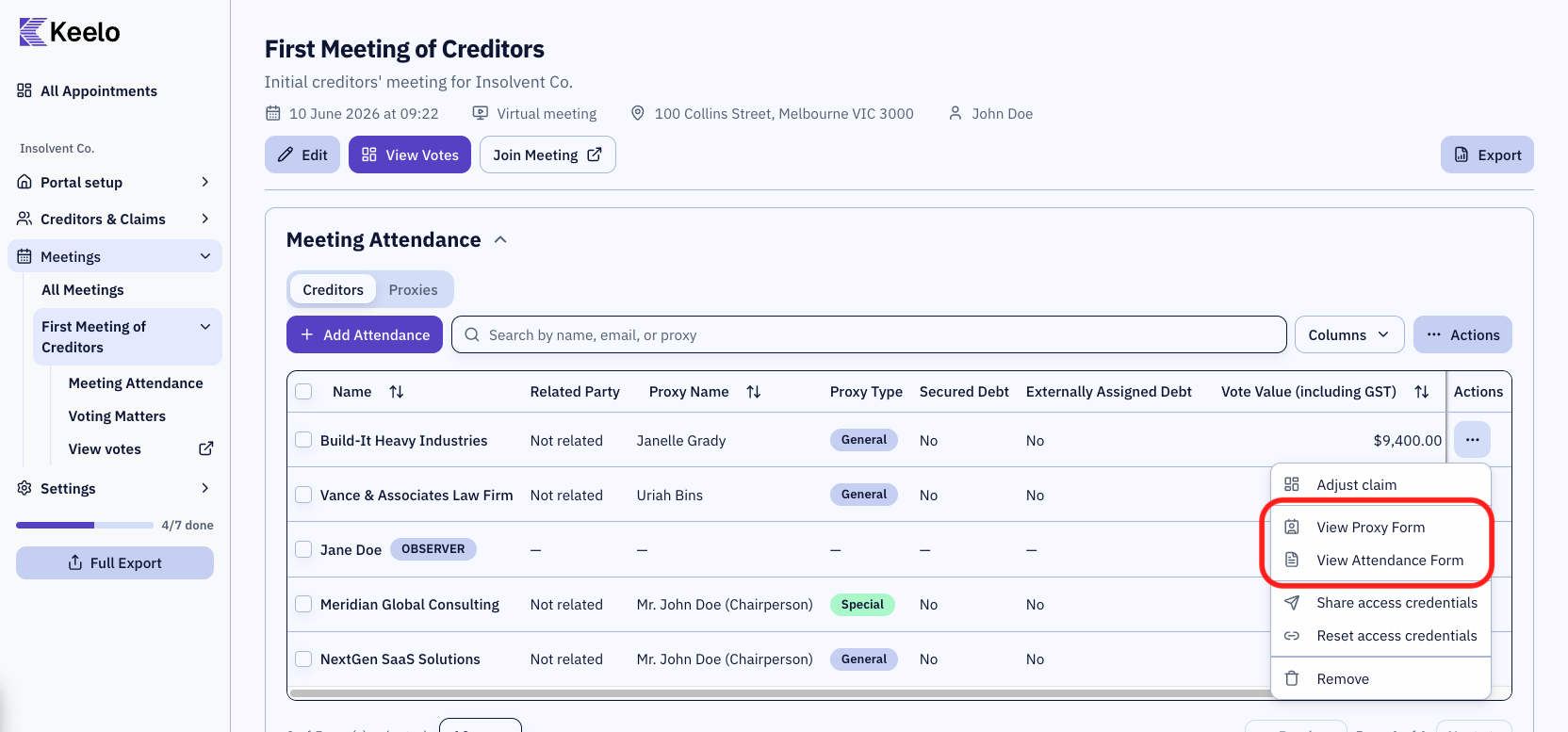
From the meeting attendance card, you can view the attendance forms for each attendee by selecting the ⋯ menu on each attendee row.
Adding observers
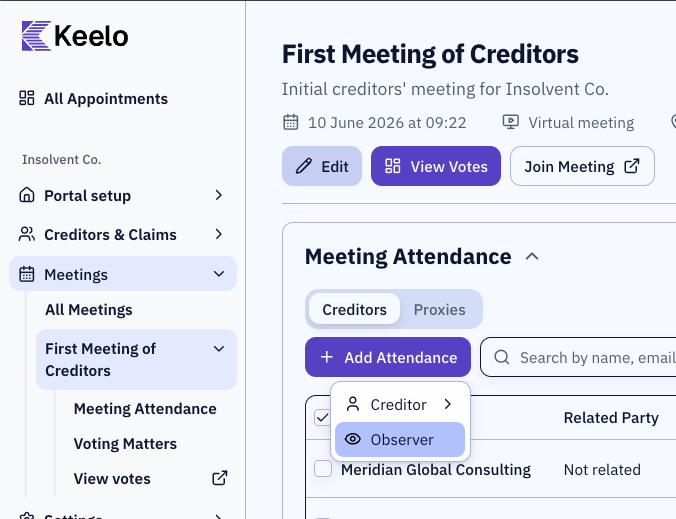
Use observers for accountants, lawyers, or other interested parties who aren't creditors but need to attend.
-
Navigate to the meetings page.
-
Expand the Meeting Attendance section.
-
Click Add Attendance.
-
Select Observer
-
Enter the observer's name and email. Additional notes can be added to provide additional details on this observer.
-
The observer appears in the attendance table with an Observer badge.