Create a Meeting
Schedule a creditor meeting for an appointment. Meetings can be in-person, virtual, or both, and each meeting has its own dedicated page in the appointment sidebar where you'll manage attendance, voting matters, and votes.
Before you begin
- You need Editor access.
Steps
-
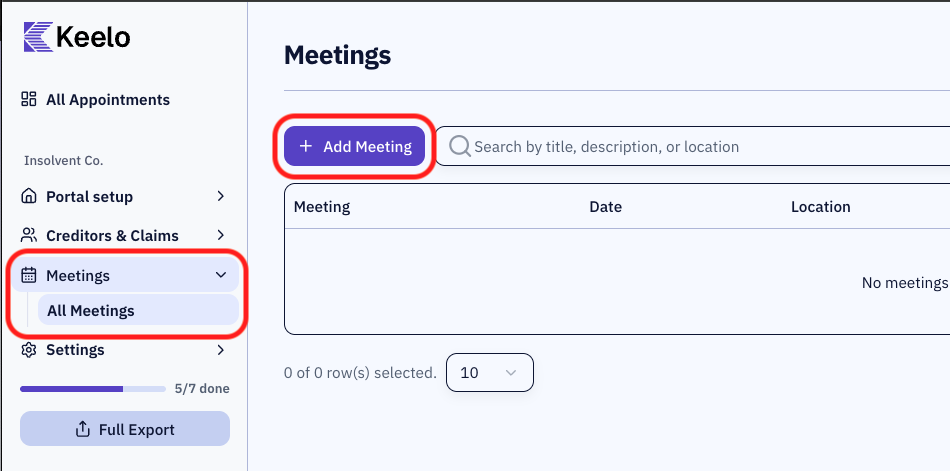
Open the appointment. In the appointment sidebar, expand Meetings and click All Meetings.
-
Click + Add Meeting.
-
Fill in the meeting details
infoOnce the Meeting Registration Deadline passes, creditors lose the ability to register attendance or appoint a proxy through the portal.
infoVirtual meeting links can be updated at any time before or during the meeting.
-
Click Create Meeting.
Adding a virtual meeting link
Virtual meeting links don't have to be set when creating the meeting. You can add them later by editing the meeting.
-
Navigate to the meeting page
-
In the meeting page header, click Edit.
-
In the dialogue, toggle Virtual Meeting on (if not already enabled).
-
Enter or update the Virtual Meeting Link - paste the full URL (e.g.,
https://teams.microsoft.com/meet/...). -
Click Save Changes.