Export meeting data
Download a meeting's vote results, attendance forms, and proxy forms in a single ZIP.
Export a meeting
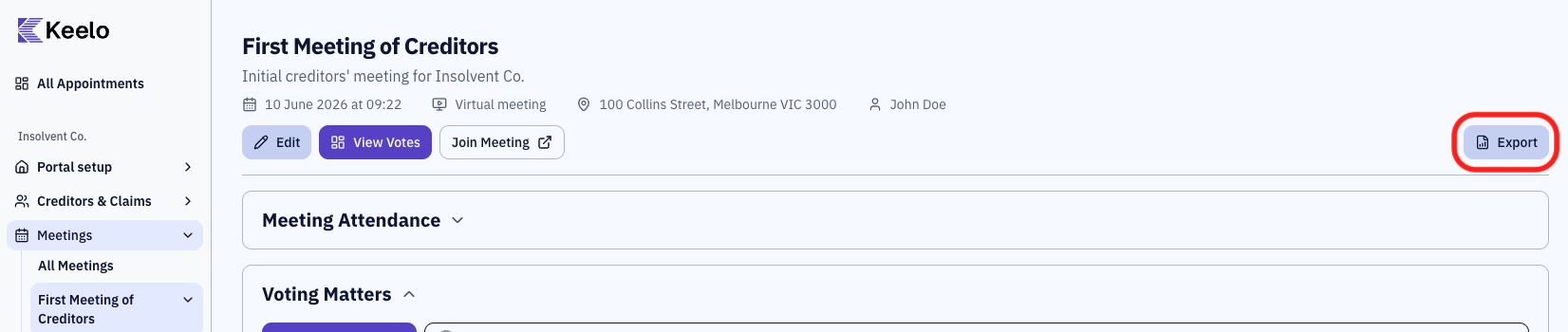
-
Navigate to the meeting page.
-
Click Export in the top-right of the page header.
-
The ZIP is generated and downloaded. Meetings with many attendees take a few seconds to bundle.
What's in the export
The archive contains a single folder named after the meeting, with:
- Vote results spreadsheet covering every voting matter for the meeting (summary, attendance register, and per-matter voting detail)
- Attendance forms PDFs for each creditor who attended
- Proxy forms PDFs for each creditor who appointed a proxy for this meeting
Meetings/
└── {Meeting Title}/
    ├── Vote results.xlsx
    ├── Attendance forms/
    │   └── {First Name} {Last Name}.pdf
    └── Proxy forms/
        └── {First Name} {Last Name} Proxy Form.pdf
tip
Need a per-voting-matter spreadsheet instead of the whole meeting? See Export voting results.