Export proposal results
Download a proposal's voting results and signed vote forms as a ZIP archive for compliance and record-keeping.
Before you begin
- You need at least Viewer access to the appointment.
- The proposal must exist. See Create a proposal if you haven't set one up yet.
Steps
-
Open the appointment and navigate to Proposals without meetings in the sidebar.
-
Open the proposal whose results you want to export.
-
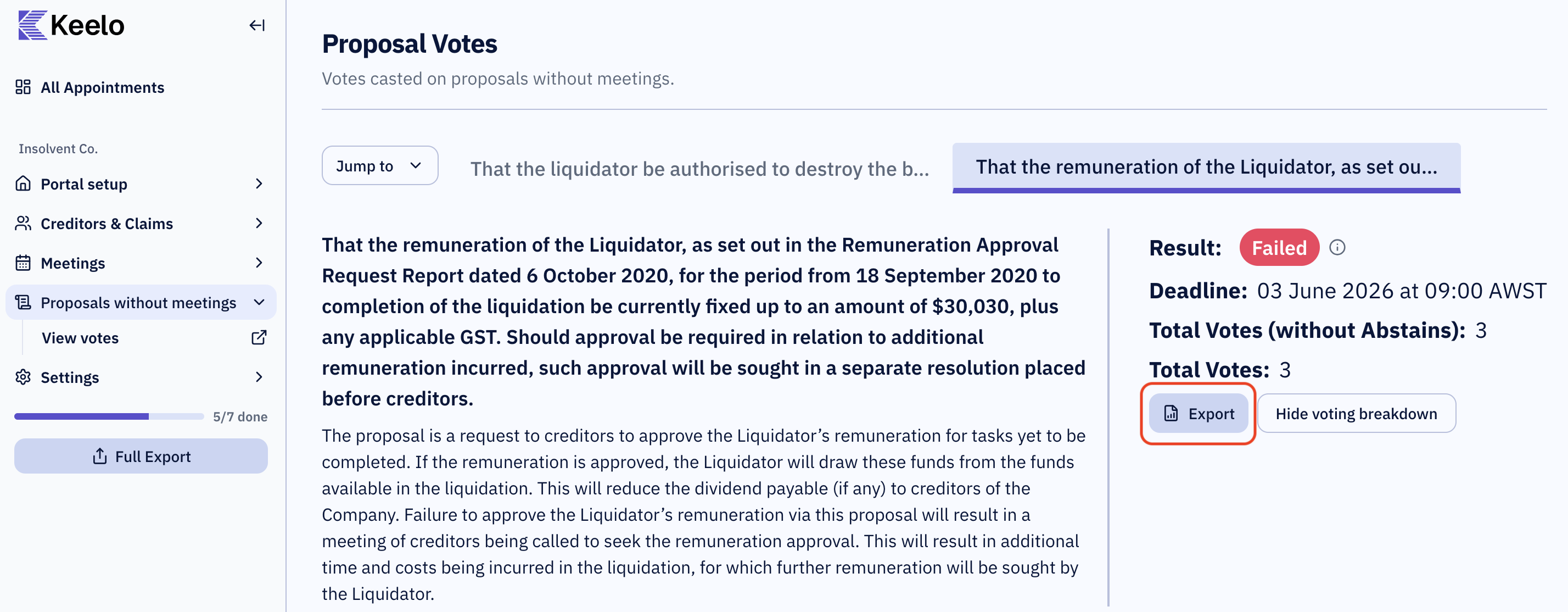
Click View votes to open the proposal's voting dashboard. See Recording and monitoring votes for details on this dashboard.
-
Click Export.
A ZIP file downloads immediately to your browser's default download location.
What's in the ZIP
| File | Description |
|---|---|
| Voting summary | The vote tallies and final result for the proposal (pass or fail). |
| Notice of proposal | The uploaded notice of proposal. |
| Signed vote-submission form (PDF) | One PDF per creditor who voted — each creditor's signed record of how they voted, retained for compliance purposes. |
tip
Need everything for the appointment in one go? A proposal's results are also included when you run the appointment-wide Full Export. See Exports for details.