Create a Proposal
Before you begin
- You need Editor access.
Steps
-
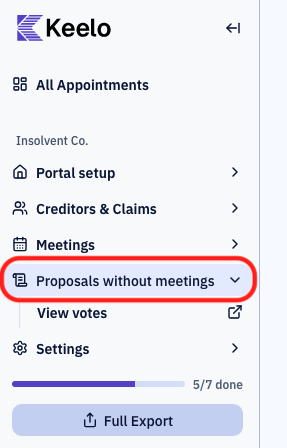
Open the appointment. In the appointment sidebar, open Proposals without meetings.
-
Click New Proposal.
-
Fill in the proposal form:
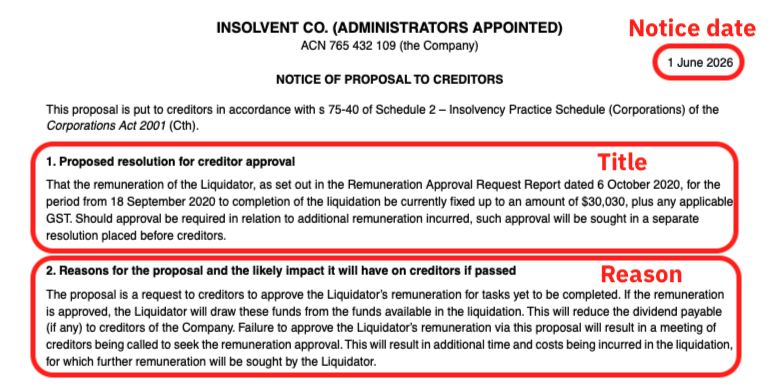
- Title — the resolution creditors vote on (e.g. "Approve the liquidator's remuneration").
- Reason — the justification shown to creditors.
- Notice Date — the date creditors are notified (date only, no time).
- Deadline — the date, time, and timezone when voting closes.
- Notice Document — upload the notice creditors will read (PDF, DOC, or DOCX).
infoThe deadline includes a timezone. Creditors see the deadline converted to their own local time in the portal.
These fields are used to generate the PDF form when a creditor votes for the proposal:
After the deadline passes
Once the deadline passes, creditors can no longer vote through the portal. However, you can still record votes on their behalf.
tip
Need to record a vote after the deadline? See Recording and monitoring votes.