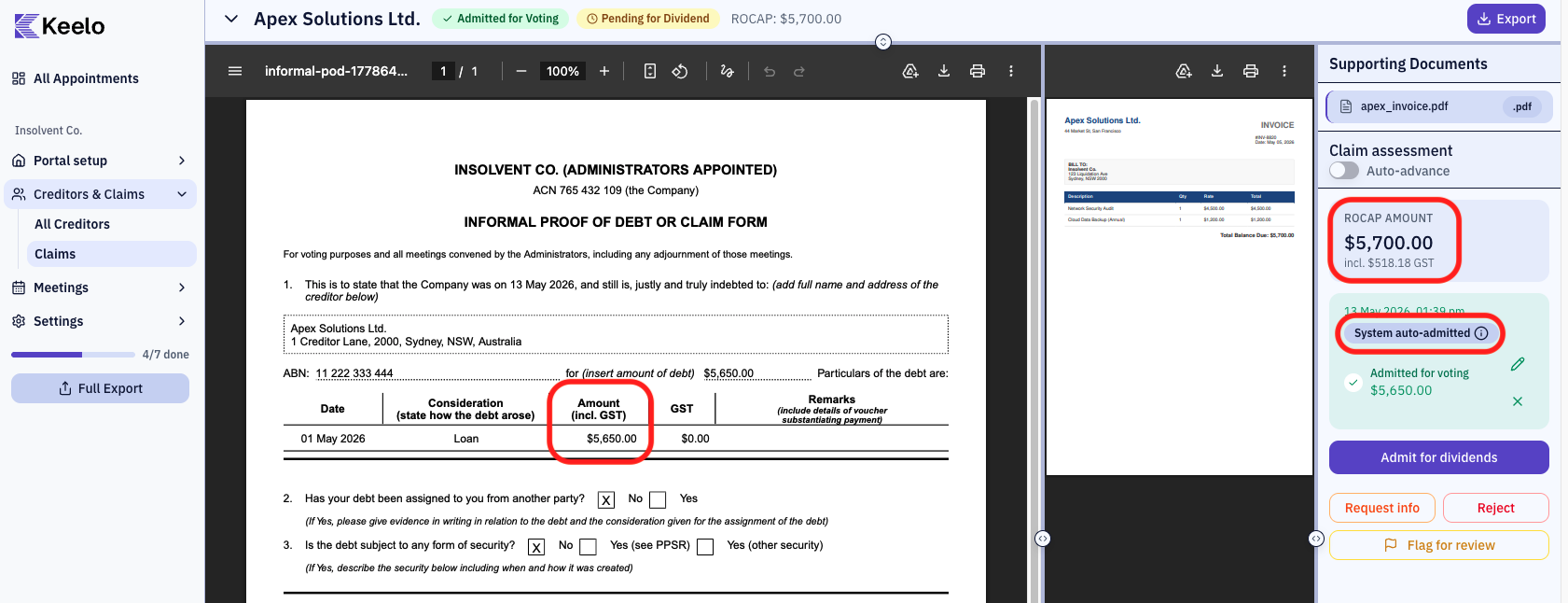
Enable auto-admit for voting
info
Auto-admit only applies to voting admission. Dividend admission is always manual.
When auto-admit is enabled, Keelo automatically admits creditor claims for voting if the claimed amount is within a configurable percentage of the creditor's ROCAP amount. This saves you from manually admitting every claim that matches the company's records.
Before you begin
- You need Editor access to change auto-admit settings.
Steps
-
Open the appointment, then click Settings in the sidebar and select General.
-
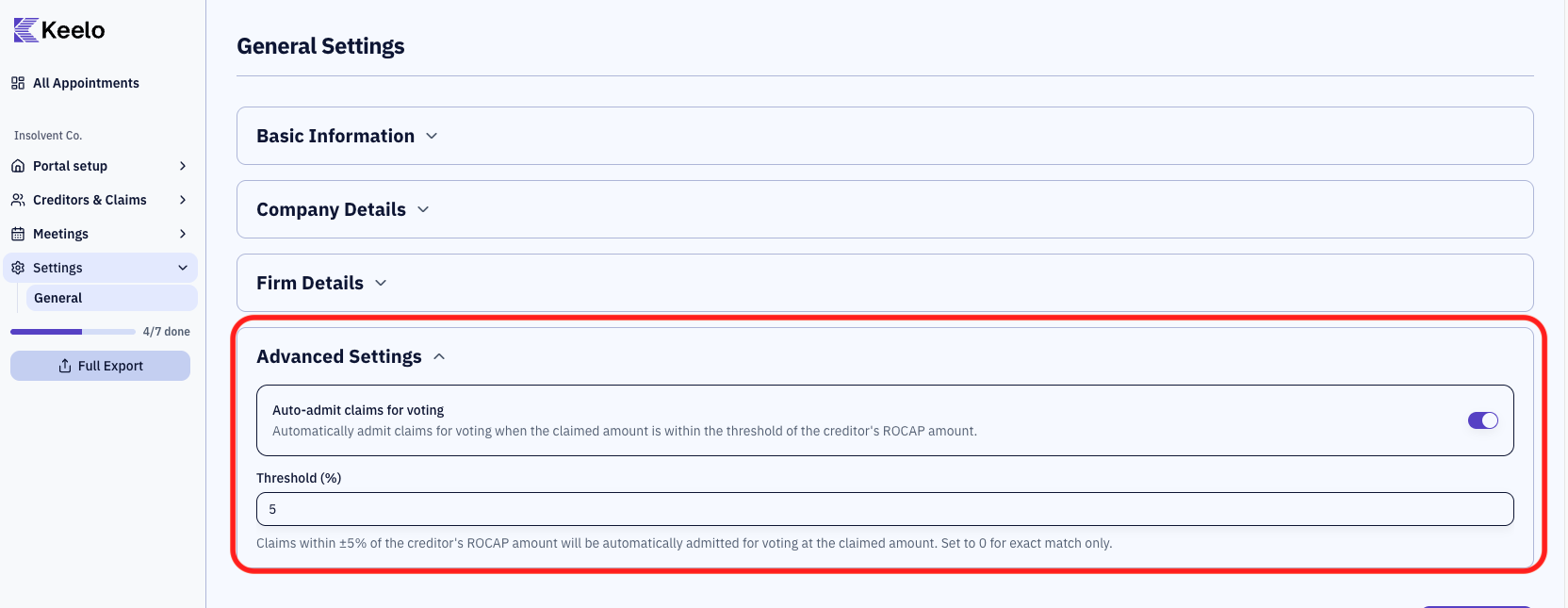
Scroll to the Advanced Settings card.
-
Toggle on Auto-admit claims for voting.
-
A Threshold (%) input field appears. Enter a percentage between 0 and 100 (default is 5).
-
Click Save Changes.
warning
Setting the threshold to 0 means exact match only — only claims that match the ROCAP amount exactly will auto-admit.
How it works
- When a creditor submits a claim, Keelo compares the claimed amount to the creditor's ROCAP amount.
- If the claimed amount is within ±X% of the ROCAP amount, the claim is automatically admitted for voting at the claimed amount.
- Claims outside the threshold still go through manual review.